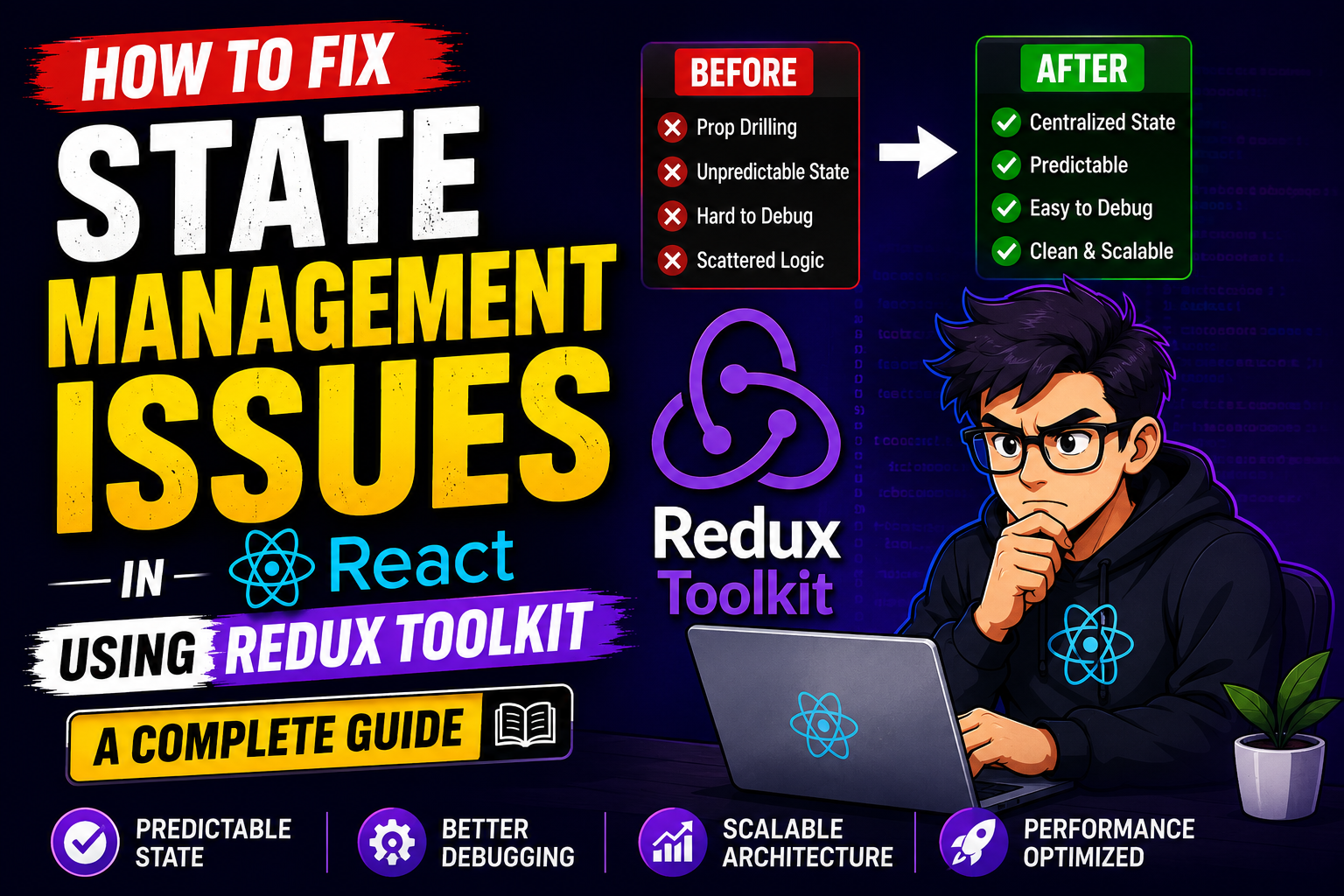
Introduction
Imagine you are building a simple e-commerce storefront in React. You start with a few components: a product list, a product card, and a shopping cart icon in the navigation bar. At first, passing data around is easy. You lift the state up to a common parent component, pass a few props down, and everything works beautifully.
Then, reality hits.
Your app grows. Now you have a user profile dropdown, a checkout wizard, deep-nested review sections, and a persistent sidebar filter. Suddenly, you find yourself passing a cartItems array down through seven layers of components that don’t even care about the shopping cart, just so it can reach a specific checkout button. If one component down the line accidentally mutates that data, tracking down the bug feels like looking for a contact lens in a dark room.
This nightmare is known as prop drilling, and it is one of the most common state management issues in React. When components grow too co-dependent and data flows become tangled webs, your application’s performance drops, and your development speed grinds to a halt.
Fortunately, you do not have to rewrite your entire app from scratch. This guide will show you exactly how to fix state management issues in React using Redux Toolkit—the modern, official way to write clean, predictable global state.
What Is Redux Toolkit?
Redux Toolkit (often abbreviated as RTK) is the official, opinionated toolset for efficient Redux development.
To understand Redux Toolkit, we first have to look at traditional Redux. Years ago, Redux became the go-to library for managing global state in JavaScript apps. It introduced a single, central “source of truth” called the store. If a component wanted to change the state, it had to dispatch an action, which went through a reducer to update the store, which finally triggered a re-render.
While the architecture was brilliant, the implementation was infamous for its overwhelming boilerplate code. Developers had to write actions, action types, creators, and massive reducers across multiple files just to update a single counter.
Redux Toolkit changes all of that. It acts as an abstraction layer over traditional Redux. It includes all the essential packages you need to run a Redux app out of the box (like Redux Core and Reselect) while hiding the repetitive setup. Think of it as moving from assembling a car frame by hand to driving a pre-tuned sports car off the lot.
Why People Use Redux Toolkit
Many developers working on medium-to-large production apps eventually cross a line where React’s built-in useState and useContext hooks are no longer enough.
React’s Context API is excellent for low-frequency updates like switching between light and dark themes or managing a user’s language preference. However, Context is not a dedicated state management tool. When a value in a React Context changes, every single component consuming that context re-renders, regardless of whether it actually uses the specific property that changed. If you have an app updating its state multiple times per second (like a real-time dashboard or a complex data grid), Context can cause severe UI stuttering.
Redux Toolkit solves this by decoupling state storage from the component tree. It uses an optimized selector mechanism underneath. If your global state contains fifty different properties, a component listening to just one property will only re-render when that single property changes.
[Insert Dashboard Screenshot Here: A performance profiler comparison showing optimized re-renders in Redux Toolkit vs massive re-renders in Context API]
Key Features of Redux Toolkit
Redux Toolkit simplifies your codebase by packing several modern features into a few straightforward APIs:
configureStore(): Automatically sets up your Redux store with the correct defaults, including turning on the Redux DevTools extension and adding standard middleware like Redux Thunk for handling async logic.createSlice(): The ultimate boilerplate killer. It accepts an initial state, an object of reducer functions, and a “slice name,” then automatically generates your action creators and action types behind the scenes.- Built-in Immer Library: In vanilla Redux, you must never mutate state directly. You had to write complex spread operations like
return { ...state, user: { ...state.user, age: 30 } }. RTK uses Immer under the hood, allowing you to write intuitive code likestate.user.age = 30;while keeping the state safely immutable. - RTK Query: An optional, incredibly powerful data-fetching and caching tool built right into the package, eliminating the need for libraries like Axios or React Query in many projects.
How It Works
At its core, Redux Toolkit relies on a unidirectional data flow. This means data moves in a strict, single-loop circle through your app, making bugs exceptionally easy to trace.
- The Store: The single, global vault where your entire application’s state lives.
- The Slice (Reducers & Actions): Logic blocks that define how pieces of your state can change. Slices define the “rules” of your data updates.
- Dispatching Actions: When a user interacts with the UI (e.g., clicking a “Delete Item” button), the component dispatches an event called an action to the store.
- Selectors: Components read the specific data they need from the store using hooks called selectors, ensuring they only update when relevant data changes.
Practical Use Cases
Redux Toolkit shines brightest in complex applications. One practical use case is a Collaborative Project Management Tool (like Trello or Asana).
In an application like that, multiple UI panels need access to the same data simultaneously. If a user drags a task card from “In Progress” to “Done,” that change needs to immediately update the main board view, increment the activity log sidebar, modify the user’s personal task counter, and send a background API request.
Managing this across independent React components using local state would require an unmaintainable maze of callbacks and triggers. Redux Toolkit provides a clean blueprint for handling these multi-layered UI updates seamlessly.
Step-by-Step Guide: Fixing State Issues in a React App
Let’s look at a concrete example. We will build a clean, scalable shopping cart state setup using Redux Toolkit to replace a broken, deeply nested local state layout.
Step 1: Install the Dependencies
Open your terminal inside your React project directory and install Redux Toolkit along with its React bindings:
Bash
npm install @reduxjs/toolkit react-redux
Step 2: Create Your State Slice
Instead of separating actions and reducers across multiple directories, we create a single “slice” file. Create a file named cartSlice.js:
JavaScript
import { createSlice } from '@reduxjs/toolkit';

const initialState = {
  items: [],
  totalQuantity: 0,
};

const cartSlice = createSlice({
  name: 'cart',
  initialState,
  reducers: {
    addItemToCart(state, action) {
      const newItem = action.payload;
      const existingItem = state.items.find(item => item.id === newItem.id);
      state.totalQuantity++;

      if (!existingItem) {
        // Thanks to Immer, we can push directly to the array!
        state.items.push({
          id: newItem.id,
          name: newItem.name,
          price: newItem.price,
          quantity: 1,
          totalPrice: newItem.price,
        });
      } else {
        existingItem.quantity++;
        existingItem.totalPrice += newItem.price;
      }
    },
    removeItemFromCart(state, action) {
      const id = action.payload;
      const existingItem = state.items.find(item => item.id === id);
      state.totalQuantity--;

      if (existingItem.quantity === 1) {
        state.items = state.items.filter(item => item.id !== id);
      } else {
        existingItem.quantity--;
        existingItem.totalPrice -= existingItem.price;
      }
    },
  },
});

export const { addItemToCart, removeItemFromCart } = cartSlice.actions;
export default cartSlice.reducer;
Step 3: Configure the Central Store
Now, create a file named store.js to initialize the global store and register our cart slice:
JavaScript
import { configureStore } from '@reduxjs/toolkit';
import cartReducer from './cartSlice';

export const store = configureStore({
  reducer: {
    cart: cartReducer,
  },
});
Step 4: Provide the Store to Your React App
To make the global state accessible anywhere in your component tree, wrap your root component with the Provider from react-redux. Open your main.jsx or index.js file:
JavaScript
import React from 'react';
import ReactDOM from 'react-dom/client';
import App from './App';
import { store } from './store';
import { Provider } from 'react-redux';

ReactDOM.createRoot(document.getElementById('root')).render(
  <React.StrictMode>
    <Provider store={store}>
      <App />
    </Provider>
  </React.StrictMode>
);
Step 5: Read and Update State in Your Components
Now, any component in your app can interact with the cart, completely bypassing prop drilling. Here is how a ProductCard component can dispatch an action to add items:
JavaScript
import { useDispatch } from 'react-redux';
import { addItemToCart } from './cartSlice';

export function ProductCard({ id, name, price }) {
  const dispatch = useDispatch();

  const handleAddToCart = () => {
    dispatch(addItemToCart({ id, name, price }));
  };

  return (
    <div className="product-card">
      <h3>{name}</h3>
      <p>${price}</p>
      <button onClick={handleAddToCart}>Add to Cart</button>
    </div>
  );
}
And here is how your navigation bar’s CartIcon component can safely read the totalQuantity from the global store:
JavaScript
import { useSelector } from 'react-redux';

export function CartIcon() {
  // Select precisely what you need; the component only re-renders when totalQuantity changes
  const totalQuantity = useSelector((state) => state.cart.totalQuantity);

  return (
    <div className="cart-icon">
      <span>🛒 Items: {totalQuantity}</span>
    </div>
  );
}
[Insert Feature Screenshot Here: Redux DevTools displaying the clean state tree and timeline tracking of the dispatched actions]
Benefits of Redux Toolkit
- Predictability and Easier Debugging: Because actions are explicit, structured objects, you can track exactly who changed what, when, and why. The Redux DevTools extension lets you look back in time through your app’s history, stepping backward and forward through UI changes.
- Reduced Boilerplate: It merges action types, action creators, and reducers into a single layout, saving thousands of lines of code over a standard software life cycle.
- Performance Optimization: Built-in shallow equality checks mean your components stop wasting CPU cycles on unnecessary, layout-breaking re-renders.
Limitations of Redux Toolkit
While Redux Toolkit is highly efficient, it is not a silver bullet for every project.
- Learning Curve for Beginners: If a developer is completely new to the concepts of immutability, pure functions, and actions, RTK can still feel a bit overwhelming at first compared to native React hooks.
- Overkill for Small Apps: If you are building a simple portfolio site, a basic blog, or a brochure website with only a few forms, setting up an entirely separate global store layout introduces unneeded complexity. Local component state (
useState) is more than enough for those use cases.
Pros and Cons
Pros and Cons Table
| Pros | Cons |
| Eliminates prop drilling completely across deep trees. | Introduces external dependencies to your package file. |
| Time-travel debugging allows you to step through state states easily. | Requires strict structural setup rules to follow. |
| Safe, mutation-style code syntax via Immer. | Can be overwhelming for tiny, short-term web projects. |
| Incredibly scale-friendly for massive teams and enterprise codebases. | Adds a small initial architecture setup delay. |
Comparison Table
React State Management Methods
| Feature | Local State (useState) | Context API | Redux Toolkit (RTK) |
| Best Used For | Isolated, component-specific variables. | Low-frequency, global app settings (Themes, Auth). | High-frequency, large-scale structural state. |
| Setup Overhead | None | Low | Medium |
| Re-render Scope | Only the local component and its children. | All components consuming the context provider. | Only components selecting the modified keys. |
| Debugging Tools | Basic React DevTools | Basic React DevTools | Powerful Redux DevTools (Time Travel) |
Best Alternatives
If you decide Redux Toolkit is too heavy for your specific use case, consider these popular options in the React ecosystem:
- Zustand: A minimalist, fast state management library based on hooks. It has almost zero boilerplate and does not require wrapping your app in providers. Great for small-to-medium apps.
- MobX: Uses reactive programming and observables. It transparently tracks changes, making it ideal for developers coming from object-oriented backgrounds (like Angular or C#).
- Recoil / Jotai: Atomic state management libraries designed specifically for React. They let you create small, independent pieces of state called “atoms” that components can subscribe to individually.
Common Mistakes Users Make
- Storing Everything in the Global Store: A very common mistake is moving every single form input field value into Redux. If a form value is only used inside one component before being submitted, keep it in a local
useStatehook. Don’t burden the global store with temporary data. - Forgetting to Use Selectors Effectively: Writing complex inline data manipulation logic inside your components instead of reusing selector functions leaves your app messy and error-prone. Keep components presentation-focused.
- Mutating State Outside of Slices: While RTK allows mutation-style code inside
createSlicedue to Immer, mutating state data directly inside a React component or selector function will throw unexpected runtime bugs.
Frequently Asked Questions
1. Does Redux Toolkit replace regular Redux?
Yes, Redux Toolkit is the recommended way to write Redux logic today. It doesn’t replace the core concepts of Redux; it simply makes them cleaner and easier to write.
2. Can I use Redux Toolkit along with useState?
Absolutely. Most large production applications use Redux Toolkit for core global data (like user authentication or shopping carts) and standard useState for local UI states (like whether a modal is open or closed).
3. Does Redux Toolkit work with Next.js?
Yes, it works excellently with Next.js, though you need to take special care when setting up your store initialization to ensure server-side rendering (SSR) environments generate a fresh store instance per request.
4. What is RTK Query?
RTK Query is an advanced data-fetching package included inside Redux Toolkit. It automates loading states, error handling, and server-side data caching without needing external fetching engines.
5. Why should I use Redux Toolkit instead of the Context API?
Context API triggers re-renders across all consumer components whenever any part of its value updates. Redux Toolkit optimizes this by ensuring components only re-render if their specifically targeted data changes.
6. Do I need to learn traditional Redux before learning Redux Toolkit?
No. Learning Redux Toolkit directly is often easier because it eliminates the confusing configuration and boilerplate code patterns that used to frustrate beginners.
7. Is Redux Toolkit fast?
Yes, it is highly optimized. Because it relies on selective component subscription mechanisms, it handles large-scale operations and rapid data changes much faster than default React state options.
8. What does Immer do inside Redux Toolkit?
Immer is a utility that captures modifications made to a temporary “draft” state and translates them into a safe, completely immutable new state object automatically.
9. Where can I track my Redux Toolkit actions?
You can track actions, payloads, and state diffs in real-time by downloading the Redux DevTools extension on Chrome, Firefox, or Edge.
10. Is Redux Toolkit suitable for small projects?
Usually, no. If your app only contains a few pages and simple interactivity, native hooks like useState will keep your file size smaller and your codebase faster to build.
Final Thoughts
Fixing state management issues in React ultimately comes down to choosing the right tool for the job.
If you are maintaining a growing frontend application where multiple developer teams are working on intersecting data layers, Redux Toolkit is an exceptional choice. It offers a predictable, highly optimized structure that keeps your code maintainable over long periods.