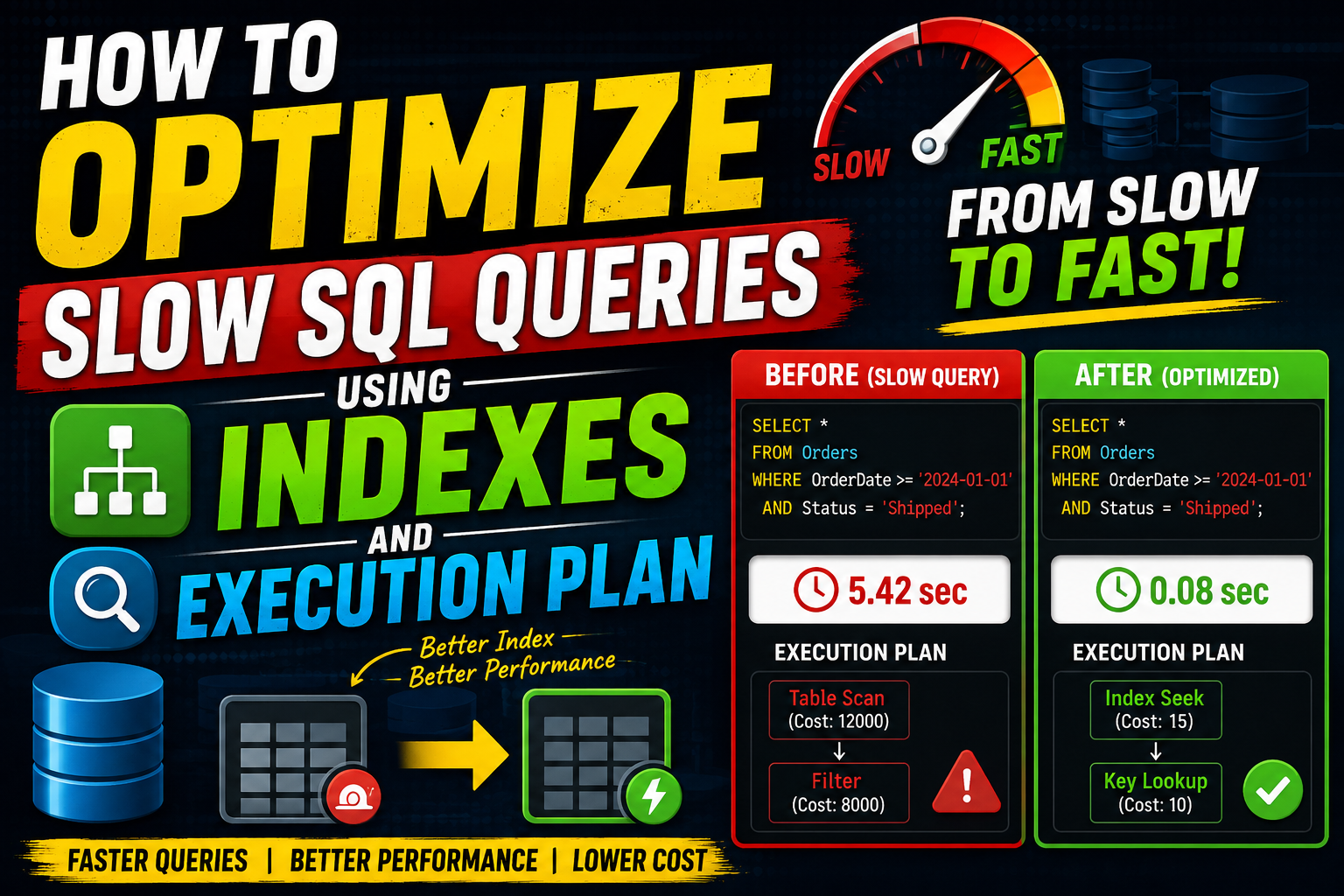
Imagine launching a new feature on your application. During local testing with a few dozen rows of dummy data, everything loads instantly. It feels flawless. But a month later, with thousands of active users and millions of rows hitting the production database, your application suddenly grinds to a halt. Users are staring at spinning wheels, loading animations time out, and your server CPU usage spikes to 100%.
When an application slows down, developers often rush to upgrade the hardware or throw more RAM at the server. More often than not, the real culprit isn’t the hardware at all. It is a handful of unoptimized database queries quietly strangling your system.
If you want your application to scale smoothly, you need to know exactly how to diagnose these bottlenecks. This guide will show you exactly how to optimize slow SQL queries using indexes and execution plan maps, turning agonizingly slow table scans into lightning-fast lookups.
Quick Summary Box
| Feature | Details |
|---|---|
| Best For | Full-stack developers, backend engineers, and database administrators looking to fix slow-loading applications. |
| Free/Paid | 100% Free (Uses built-in database engines like MySQL, PostgreSQL, and SQL Server). |
| Difficulty Level | Intermediate |
| Key Benefits | Slashes server response times, lowers infrastructure costs, prevents CPU spikes, and improves user experience. |
What Is Query Optimization?
Query optimization is the process of fine-tuning a database query to make it run as efficiently as possible. When you write a SQL query, you are telling the database what data you want, not how to get it. The database engine has to figure out the best path to fetch that data.
Optimization involves analyzing that path, identifying where the engine is wasting time, and restructuring either the query itself or the underlying database structure (like adding indexes) to cut down on processing time.
Why People Use Indexes and Execution Plans
When database tables are small, the database engine can read the entire table from top to bottom to find a single row in milliseconds. This is known as a Full Table Scan.
However, as your data grows into millions of rows, a Full Table Scan becomes a massive performance bottleneck. Developers use execution plans to pull back the curtain and see exactly how the database engine plans to execute a query. Once they see the problem—usually a table scan—they use indexes to create a shortcut directly to the data, bypassing the need to read the whole table.
[Insert Dashboard Screenshot Here: Database CPU utilization graph dropping sharply after query optimization]
Key Features of Database Query Tools
To successfully optimize your queries, you rely on a few built-in features found in almost all modern relational database management systems (RDBMS):
- The Query Optimizer: The internal brain of the database that calculates the most efficient way to run a query.
- Execution Plan Visualizers: Graphical or text-based trees showing the exact steps (like nested loops, hash joins, or index scans) the database will take.
- Indexing Engines: The subsystem that creates and maintains organized data structures (like B-Trees) for rapid searching.
- Slow Query Logs: A diagnostic file where the database automatically flags queries that take longer than a specified threshold (e.g., 2 seconds) to run.
How It Works: The Analogy
Think of a database table without an index as a massive 1,000-page textbook without an index or a table of contents. If someone asks you to find every page that mentions the word “optimization,” you have no choice but to turn every single page from 1 to 1,000. That is a Full Table Scan.
Now, imagine the same textbook has a comprehensive index at the back. You flip to the letter “O,” find “Optimization,” and see it lists pages 45, 212, and 840. You jump directly to those pages. That is an Index Scan.
An Execution Plan is like a GPS map for the database. Before the database travels through your data, the execution plan shows the route it intends to take, highlighting whether it plans to walk through the entire book or use the index at the back.
Practical Use Cases
1. E-Commerce Order History Pages
An e-commerce customer wants to view their past orders. Without proper indexing on the user_id column in the orders table, the database must scan through millions of orders from all users just to find the five items bought by that specific customer.
2. High-Frequency Dashboard Analytics
Internal business analytics dashboards often run complex SUM, AVG, and COUNT queries over large date ranges. If these queries are not optimized, reloading the dashboard can freeze the database tool, locking out other operations.
Realistic Observation: In many real-world applications, 80% of database slowdowns are caused by just 20% of the queries. You don’t need to optimize every single query in your codebase—only the ones that run frequently or handle massive datasets.
Step-by-Step Guide: How to Optimize a Slow Query
Let’s walk through a realistic scenario to see exactly how to optimize slow SQL queries using indexes and execution plan metrics.
Step 1: Identify the Slow Query Using EXPLAIN
Let’s assume we have a table called users with millions of rows. We notice that searching for users by their email address is taking several seconds.
To see what the database is doing under the hood, we prefix our query with the EXPLAIN keyword:
SQL
EXPLAIN SELECT id, first_name, last_name FROM users WHERE email = 'alex.developer@example.com';
Step 2: Read the Execution Plan Output
When you run the command above, the database won’t return the user’s data. Instead, it outputs a table describing the execution path.
[Insert Feature Screenshot Here: A text-based or visual execution plan showing a ‘Seq Scan’ or ‘Full Table Scan’]
In PostgreSQL, the output might look like this:
Plaintext
Seq Scan on users  (cost=0.00..45230.12 rows=1 width=36)
  Filter: (email = 'alex.developer@example.com'::text)
What this tells us:
- Seq Scan (Sequential Scan): This is database speak for a Full Table Scan. The engine is reading every single row on the hard drive to find this email.
- Cost: The estimated computational effort. Higher numbers mean slower performance.
Step 3: Add the Targeted Index
Since the execution plan clearly shows a sequential scan on the email column, we need to create an index on that specific column so the database can look it up instantly.
SQL
CREATE INDEX idx_users_email ON users(email);
Step 4: Verify the Fix with EXPLAIN Again
Now that the index is built, run the exact same EXPLAIN query to check if the database engine is actually using it:
SQL
EXPLAIN SELECT id, first_name, last_name FROM users WHERE email = 'alex.developer@example.com';
The updated execution plan output should now look something like this:
Plaintext
Index Scan using idx_users_email on users  (cost=0.42..8.44 rows=1 width=36)
  Index Cond: (email = 'alex.developer@example.com'::text)
The difference is night and day:
- The
Seq Scanchanged to anIndex Scan. - The start cost dropped from
45230.12to a mere8.44. The query will now execute in fractions of a millisecond.
[Insert Results Screenshot Here: Side-by-side comparison of query execution time dropping from 3.2 seconds to 0.002 seconds]
Benefits of Optimizing Your Queries
- Sub-second Response Times: Users experience an app that feels snappy and instantaneous.
- Reduced Infrastructure Costs: Optimized queries require significantly less CPU and memory, meaning you can delay expensive database server upgrades.
- Better Concurrent Performance: Because queries finish faster, they release database locks quicker, allowing your app to handle more simultaneous users without bottlenecking.
Limitations of Indexes
While indexes are incredibly powerful, they are not a silver bullet. They come with real structural trade-offs:
- Slower Writes (
INSERT,UPDATE,DELETE): Every time you add, modify, or delete a row in a table, the database must update the table and rearrange all the corresponding indexes. If a table has too many indexes, write operations can become sluggish. - Storage Overhead: Indexes take up physical space on disk. On massive tables, indexes can sometimes consume as much storage space as the actual raw data itself.
Pros and Cons of Database Indexing
      PROS                                CONS
+-----------------------------------+-----------------------------------+
|  Dramatically speeds up SELECT     |  Slows down INSERT, UPDATE, and   |
|  queries on large tables.         |  DELETE operations.               |
+-----------------------------------+-----------------------------------+
|  Reduces server CPU and memory     |  Consumes extra disk storage space|
|  consumption significantly.       |  on the database server.          |
+-----------------------------------+-----------------------------------+
|  Helps enforce uniqueness constraints|  Requires ongoing maintenance     |
|  (e.g., unique email addresses).  |  (bloat cleanup/reindexing).      |
+-----------------------------------+-----------------------------------+
Comparison: Single-Column Indexes vs. Composite Indexes
When designing indexes, you have to choose between indexing a single column or grouping multiple columns together into a single index (a composite index).
| Feature | Single-Column Index | Composite Index |
|---|---|---|
| Definition | Indexes a single specific column. | Indexes two or more columns together in a specific order. |
| Best Used For | Basic queries filtering by a single field (e.g., WHERE user_id = 5). | Complex queries filtering or ordering by multiple fields (e.g., WHERE status = 'active' ORDER BY created_at DESC). |
| Order Sensitivity | Column order does not matter. | The order of columns matters immensely (Left-to-Right rule). |
| Storage Impact | Relatively small footprint. | Larger disk footprint depending on the number of fields included. |
Common Alternatives to Standard Indexing
If your query is still running slowly even after creating an index, you might need to look beyond basic indexing strategies:
- Materialized Views: Pre-calculates and stores the results of complex, multi-table join queries physically on the disk. Excellent for heavy reporting, though the data must be refreshed periodically.
- Caching Layers (e.g., Redis): Storing the final output of an expensive database query in an ultra-fast in-memory cache so you don’t have to hit the SQL database at all for subsequent requests.
- Database Sharding & Partitioning: Splitting a single massive table into smaller, more manageable physical pieces (e.g., partitioning an
orderstable by year).
Common Mistakes Users Make
1. Indexing Every Single Column
A very common mistake among junior developers is adding an index to every single column in a table out of fear of slow queries. This dramatically slows down data insertion and bloats disk space usage without providing any benefit.
2. Forgetting the Column Order in Composite Indexes
If you create a composite index on (last_name, first_name), the database engine can easily optimize a search for WHERE last_name = 'Smith'. However, if your query searches for WHERE first_name = 'John', a composite index built in that specific order cannot help, and the database will revert to a slow table scan.
3. Using Functions on Indexed Columns in Queries
If you have an index on a created_at column, running a query like this will completely break the index usage:
SQL
-- BAD: This disables the index!
SELECT * FROM orders WHERE YEAR(created_at) = 2026;
Because you wrapped the column in the YEAR() function, the database engine has to evaluate that function for every single row, rendering the index useless. Instead, rewrite the query to look for a range:
SQL
-- GOOD: This actively uses the index
SELECT * FROM orders WHERE created_at >= '2026-01-01' AND created_at <= '2026-12-31';
Frequently Asked Questions
1. Will adding an index make my database inserts slower?
Yes. Every time you insert a new row, the database engine must calculate where that data fits within the index structure and update it. However, for most applications, the massive speedup in read queries easily balances out the minor slowdown in write performance.
2. What is the difference between a Clustered and a Non-Clustered index?
A Clustered index determines the physical order of data storage on the disk (usually assigned automatically to the Primary Key). A table can only have one Clustered index. A Non-Clustered index is a separate structure that points back to the physical data rows, and you can have multiple Non-Clustered indexes on a single table.
3. Why is the database engine ignoring my index even though it exists?
If a table contains very few rows (e.g., under a few hundred), the query optimizer might decide that performing a quick Full Table Scan is faster than loading the index file and performing a secondary lookup.
4. How do I see the execution plan in MySQL?
You can view the execution plan in MySQL by prefixing your query with the EXPLAIN keyword in your terminal or database management tool, like this: EXPLAIN SELECT * FROM table_name;.
5. How do I see the execution plan in PostgreSQL?
In PostgreSQL, use EXPLAIN ANALYZE SELECT * FROM table_name;. Adding the ANALYZE flag tells PostgreSQL to actually run the query, providing real-world runtime metrics alongside the estimations.
6. Can I index a text column with long paragraphs?
Standard B-Tree indexes are not suited for long text columns. If you need to search for keywords inside lengthy text or description fields, you should look into creating a Full-Text Search (FTS) index instead.
7. What does “Index Bloat” mean?
As rows are updated and deleted over time, gaps can form within the physical index files on your disk. This extra space makes the index larger and less efficient than it needs to be. Regular database maintenance, like running VACUUM in Postgres or OPTIMIZE TABLE in MySQL, helps clean this up.
8. Should I create an index for boolean (true/false) columns?
Generally, no. Indexes work best on columns with high cardinality (meaning the column contains many unique values, like emails or IDs). A boolean column only has two possible values, so an index rarely helps the database engine filter down rows efficiently.
9. How do I know which queries are running slow in production?
You can enable the “Slow Query Log” feature inside your database configuration settings. You can configure it to log any query that takes longer than a specific amount of time (such as 1 or 2 seconds) for manual review.
10. Can an index speed up ORDER BY queries?
Yes. Because indexes store values in a sorted, structured sequence, creating an index on the column you are sorting by allows the database to skip the expensive, resource-intensive sorting step entirely.
Final Thoughts
Optimizing slow SQL queries using indexes and execution plans is one of the most practical skills you can master as a developer. Instead of guessing why an application feels laggy, execution plans give you clear data, allowing you to build highly targeted indexes exactly where they are needed.
Who should use this strategy? If you are managing an application with growing tables, experiencing intermittent CPU spikes, or building features that filter and sort through hundreds of thousands of rows, you should actively use execution plans to analyze your query paths.
Who should avoid over-indexing? If your database application primarily handles high-speed write operations (like logging sensor data or capturing streaming analytics clicks) and rarely reads that data via complex lookups, adding multiple indexes will hurt your database write throughput far more than it helps. Maintain a light footprint and rely on table partitioning instead.