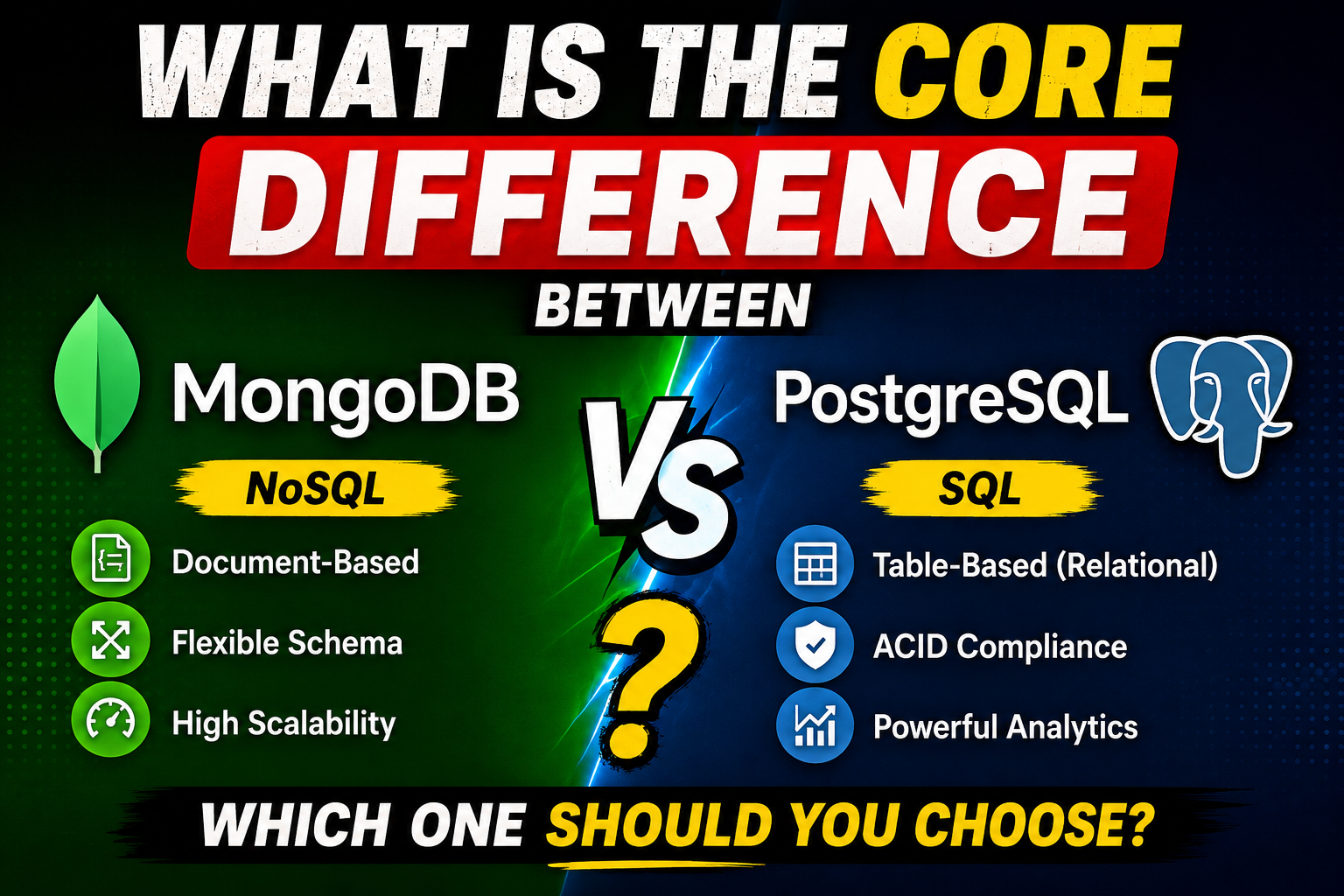
PostgreSQL is a traditional Object-Relational Database Management System (ORDBMS). It organizes data into strict rows and columns within tables. If you want to insert data, it must match the predefined blueprint (schema) exactly. Relationships between tables are enforced using foreign keys.
MongoDB, on the other hand, is a NoSQL document database. Instead of rows, it stores data in flexible, JSON-like documents (technically stored as BSON). There are no strict table layouts. A document inside a collection can have five fields, while the next one in the exact same collection can have ten fields without breaking the system.
When traffic spikes, this architectural split dictates how your application scales. PostgreSQL relies on highly optimized, structured tables to execute deep, complex queries quickly. MongoDB relies on localized, self-contained documents to pull or write massive amounts of data in a single, simple operation.
Why People Use These Databases at Scale
Why Teams Choose MongoDB for High Traffic
When an application encounters heavy traffic, write speed and horizontal scalability become top priorities. MongoDB shines here because it allows applications to dump massive streams of data without waiting for complex multi-table validations. If your app captures millions of IoT sensor logs, clickstream tracking data, or live chat messages, MongoDB accepts those writes with minimal friction.
Why Teams Choose PostgreSQL for High Traffic
High traffic isn’t just about dumping data into a database; sometimes it’s about querying highly connected data under immense pressure. Think of an e-commerce platform during Black Friday. You cannot afford to show a user an incorrect inventory count or mess up a banking ledger. Teams choose PostgreSQL because it guarantees that every single transaction is safely processed and consistent across the entire cluster, no matter how many users hit the system at once.
Key Features Under Heavy Load
MongoDB Features
- Flexible Document Model: Data that belongs together is stored together, eliminating the need for expensive multi-table joins during high-traffic reads.
- Native Sharding: MongoDB was built from the ground up to distribute data across multiple physical servers seamlessly.
- Built-in Caching: It utilizes the WiredTiger storage engine, which allocates internal cache to speed up frequent data modifications.
PostgreSQL Features
- Advanced Indexing: Beyond standard B-tree indexes, Postgres supports GIN, GiST, and BRIN indexes, which allow lightning-fast lookups on complex datasets.
- MVCC (Multi-Version Concurrency Control): This allows readers to read data while writers are writing to it, preventing the database from locking up during concurrent traffic bursts.
- Declarative Table Partitioning: Splitting a massive table into smaller, faster physical pieces automatically based on dates, regions, or IDs.
How It Works: Handling the Traffic Surge
Let’s peek under the hood to see how each database processes operations when thousands of users connect simultaneously.
MongoDB: The Document Aggregation Strategy
In a high-traffic social media app built on MongoDB, a user’s profile, post history, and settings can all live inside a single document. When that user logs in, MongoDB performs a single disk read to fetch the entire document.
JSON
{
  "_id": "user123",
  "username": "alex_tech",
  "preferences": { "theme": "dark", "notifications": true },
  "recent_posts": [
    { "post_id": "p1", "title": "Scaling MongoDB" },
    { "post_id": "p2", "title": "High Traffic Tips" }
  ]
]
Because all the relevant data is packaged together, the database avoids jumping around different disk locations to piece a profile together. This minimizes disk I/O, which is usually the primary bottleneck during traffic surges.
PostgreSQL: The Structured Joint Strategy
In the same scenario using PostgreSQL, that data is split across three tables: users, user_preferences, and posts.
When the user logs in, PostgreSQL uses its query planner to join these tables using foreign keys. To handle high traffic, PostgreSQL relies heavily on its Connection Pooler (like PgBouncer) and its shared buffer memory.
SQL
SELECT * FROM users
JOIN user_preferences ON users.id = user_preferences.user_id
JOIN posts ON users.id = posts.user_id
WHERE users.id = 123;
While this requires more CPU overhead for the joins, PostgreSQL’s advanced query optimizer minimizes the performance hit by caching execution plans and pulling indexed rows directly from RAM.
Practical Use Cases
Real-World Scenario: Gaming Leaderboards (MongoDB)
Consider a multiplayer mobile game that suddenly gets featured on the app store. Millions of players are posting high scores every second. MongoDB handles this well because its flexible schema allows developers to update a player’s document instantly with new achievements or stats without running heavy alter-table migrations that could lock up a relational system.
Real-World Scenario: Core Banking & Fintech (PostgreSQL)
A fintech app handling peer-to-peer payments cannot afford a single mistake. If User A sends $100 to User B, that money must leave Account A and arrive in Account B at the exact same moment. If the system crashes mid-way, the entire operation must roll back. PostgreSQL excels here because its strict relational rules ensure data integrity remains flawless, even if millions of transfers occur concurrently.
Step-by-Step Guide: Optimizing for High Traffic
Regardless of the database you select, running out-of-the-box settings will cause failures at scale. Here is how to prepare both systems for high traffic.
Step 1: Setting up Efficient Indexing
Never let your application perform full-table or full-collection scans under high load.
- In MongoDB: Identify your most frequent queries and build targeted compound indexes.JavaScript
db.orders.createIndex({ store_id: 1, status: 1, created_at: -1 }); - In PostgreSQL: Use B-Tree indexes for standard lookups, and ensure your foreign keys are indexed to prevent slow joins.SQL
CREATE INDEX idx_orders_store_status ON orders(store_id, status);
Step 2: Connection Management
High traffic means hundreds of application instances trying to talk to the database at once.
- For PostgreSQL, implement a connection pooler like PgBouncer. PostgreSQL dedicates a process to each connection, which consumes significant memory. PgBouncer allows thousands of app connections to share a small, highly efficient pool of actual database connections.
- For MongoDB, tune the
maxPoolSizesetting within your application’s connection string driver to ensure it doesn’t overwhelm the cluster during container auto-scaling.
Step 3: Configuring Replication and Read Isolation
- Set up Read Replicas. Route your heavy analytical dashboards and read-only traffic to secondary replica nodes, keeping your primary database node free to handle critical write operations.
Benefits
MongoDB Benefits at Scale
- Horizontal Scaling via Sharding: If your database runs out of space or compute, you can split your data across multiple machines horizontally.
- Rapid Development Cycles: Schema changes don’t require downtime or long-running database lockups.
- High Write Throughput: Excellent performance for append-heavy or logging workloads.
PostgreSQL Benefits at Scale
- Strict ACID Compliance: Guaranteed data consistency across all operations.
- Extensive Plugin Ecosystem: Powerful extensions like TimescaleDB (for time-series data) and PostGIS (for geospatial mapping) run directly inside the database.
- Advanced Query Optimization: Handles deeply nested and complex relational queries much faster than a document store can mimic them.
Limitations
MongoDB Limitations under High Traffic
While MongoDB scales reads and writes beautifully, it hits a wall when you need to run complex analytical queries across different collections. If your application frequently requires joining data from multiple independent sources, MongoDB has to use the $lookup aggregation operator. Under high traffic, heavy lookups consume massive amounts of CPU and memory, quickly degrading application response times.
PostgreSQL Limitations under High Traffic
PostgreSQL scales exceptionally well vertically (adding more CPU, RAM, and faster NVMe drives). However, scaling it horizontally across multiple servers for write operations is notoriously difficult. While tools like Citus exist, standard PostgreSQL master-replica setups only allow you to scale reads horizontally. If your application requires millions of direct database writes per second distributed worldwide, managing a single PostgreSQL primary node becomes a complex architectural challenge.
Pros and Cons Matrix
MongoDB Pros and Cons
| Pros | Cons |
| ✔ Extremely easy to scale horizontally via native sharding. | ❌ Complex multi-collection lookups are slow under heavy loads. |
| ✔ High performance for unstructured or semi-structured data. | ❌ Higher memory footprint due to data duplication in documents. |
| ✔ No schema migration friction during rapid app updates. | ❌ Requires disciplined index management to avoid unindexed scans. |
PostgreSQL Pros and Cons
| Pros | Cons |
| ✔ Strong data consistency guarantees and precise data validation. | ❌ Difficult to shard horizontally for distributed high-volume writes. |
| ✔ Massive ecosystem of mature tools and powerful query engines. | ❌ Altering schemas on multi-million row tables requires extreme caution. |
| ✔ Highly efficient memory usage with deep indexing capabilities. | ❌ Misconfigured connection limits can exhaust server memory rapidly. |
Comparison Table: High-Traffic Behavior
| Feature | MongoDB | PostgreSQL |
| Primary Scaling Method | Horizontal (Sharding data across nodes) | Vertical (Scaling up instance size) + Read Replicas |
| Write Performance | Excellent (Optimized for fast document appending) | Good (Dependent on write locks and index volume) |
| Read Performance | Excellent (When reading single, rich documents) | Excellent (When utilizing highly optimized table joins) |
| Schema Flexibility | Schema-less / Dynamic validation | Strict predefined schemas and data types |
| Transaction Reliability | Multi-document ACID supported (since v4.0) | Industry gold-standard ACID compliance |
Best Alternatives
If neither MongoDB nor PostgreSQL perfectly matches your high-traffic architectural needs, consider these alternatives:
- MySQL: A reliable relational alternative to PostgreSQL, often favored for its straightforward replication setups in read-heavy applications.
- Cassandra (Apache): A highly specialized NoSQL database built specifically for massive distributed write operations across global datacenters.
- DynamoDB: A fully managed NoSQL alternative by AWS designed for consistent, single-digit millisecond latency at massive scale without operational overhead.
Common Mistakes Users Make
- Treating MongoDB like a Relational Database: Developers often design a MongoDB database with dozens of separate collections and join them using
$lookup. This completely eliminates MongoDB’s speed advantage under load. - Neglecting Connection Pools in PostgreSQL: Allowing every serverless function or container instance to open a direct, unmanaged connection to a PostgreSQL instance will quickly exhaust backend memory, causing connection timeouts during traffic spikes.
- Over-indexing Everything: To make things faster, engineers sometimes create indexes for every single column or field. Under high traffic, every write requires the database to update those indexes, which slows down write speeds dramatically on both platforms.
Frequently Asked Questions
Can MongoDB handle financial transactions at scale?
Yes, MongoDB supports multi-document ACID transactions. However, if your application’s primary function is financial accounting or ledger tracking, PostgreSQL’s native relational structure offers more safety rails.
Is PostgreSQL harder to scale than MongoDB?
For scaling reads, they are similar because both support read replicas. For scaling writes, PostgreSQL is significantly harder to scale horizontally because it requires external tools or sharding middleware, whereas MongoDB supports sharding out of the box.
Which database uses more RAM?
MongoDB generally uses more RAM at scale because its document model frequently duplicates data across documents to keep reads fast, and it requires significant memory for cache storage.
Does MongoDB support relations?
MongoDB does not use foreign keys. Instead, you either embed related data directly inside a document or use manual references that your application code resolves.
When should I migrate from MongoDB to PostgreSQL?
You should consider migrating if your app’s data structure matures, becomes highly relational, or if you find yourself writing complex code logic to maintain data consistency that a relational database would handle automatically.
Can PostgreSQL store JSON data?
Yes, PostgreSQL features highly optimized JSONB data types. It allows you to store and index JSON data inside a relational column, giving you a hybrid experience.
What is the primary bottleneck for PostgreSQL during high traffic?
The most common bottlenecks are maximum connection limit exhaustion and high disk I/O when processing complex queries that cannot fit entirely within the shared buffer RAM.
What is the primary bottleneck for MongoDB during high traffic?
Unindexed queries that trigger full-collection scans are the top performance killer, as they completely lock up CPU threads.
Is MongoDB completely open source?
No. MongoDB uses the Server Side Public License (SSPL), which places restrictions on offering it as a managed commercial service. PostgreSQL is fully open source under the permissive PostgreSQL License.
Which is better for real-time analytics apps?
If the analytics involve unstructured stream logs, MongoDB is highly efficient. If the analytics require complex aggregations across multiple data dimensions, PostgreSQL (especially with extensions like TimescaleDB) is usually faster.
Final Thoughts
Choosing between these two powerhouses depends entirely on what kind of pressure your application will face.
If you are building an application with rapidly changing data structures, heavy logging requirements, or need global horizontal scale right out of the box, MongoDB provides the agility and write throughput required to keep your app responsive.
Conversely, if your platform processes structured transactions, relies on complex data relationships, or demands bulletproof data integrity under load, PostgreSQL remains the gold standard. Investing the upfront time into organizing its schema and tuning connection limits will reward you with a rock-solid system that won’t buckle under pressure.