What Is Clean and Maintainable Python Code?
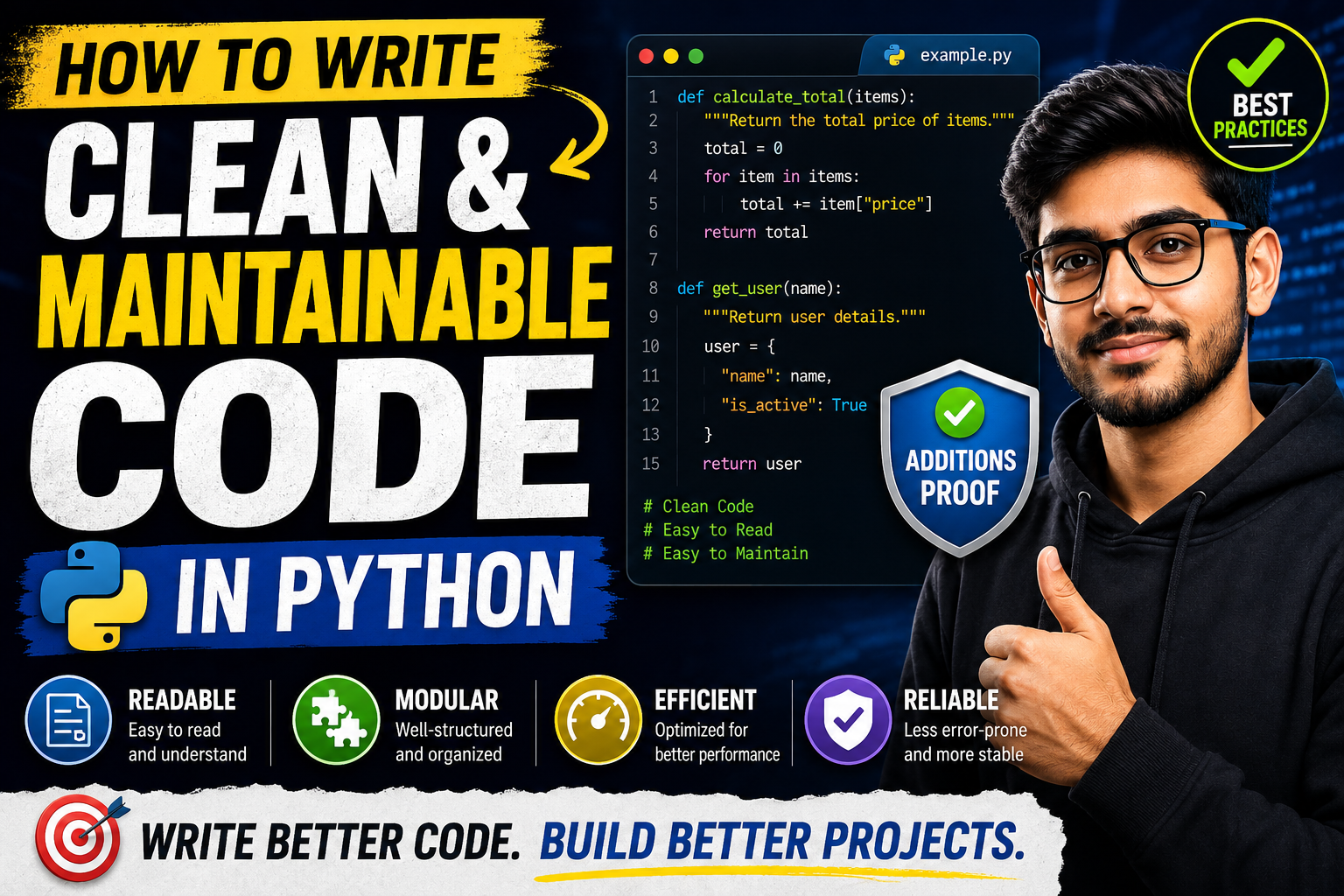
Clean code is software that is readable, focused, and straightforward. It reads almost like well-written prose. Maintainable code means that when requirements change (and they always do), you can modify, extend, or fix the application without triggering a cascading nightmare of bugs across your entire system.
In Python, clean code isn’t just about personal preference. The Python community has an official philosophy built right into the language, famously known as The Zen of Python. If you open a terminal, launch Python, and type import this, you’ll see the core principles that define clean Python development:
- Beautiful is better than ugly.
- Explicit is better than implicit.
- Simple is better than complex.
- Readability counts.
Why People Focus on Writing Clean Code
When you’re working alone on a small weekend project, messy code doesn’t hurt immediately. But as projects grow, the costs of bad code accumulate quickly.
       Messy Codebase                    Clean Codebase
┌──────────────────────────┐      ┌──────────────────────────┐
│   Add New Feature        │      │   Add New Feature        │
└─────────────┬────────────┘      └─────────────┬────────────┘
              │                                 │
              ▼                                 ▼
┌──────────────────────────┐      ┌──────────────────────────┐
│ Breaks 3 Hidden Modules  │      │ Isolated Modification    │
└─────────────┬────────────┘      └─────────────┬────────────┘
              │                                 │
              ▼                                 ▼
┌──────────────────────────┐      ┌──────────────────────────┐
│ Days of Blind Debugging  │      │ Passes CI/CD Instantly   │
└──────────────────────────┘      └──────────────────────────┘
- Saves Development Time: Teams spend far more time reading, understanding, and modifying existing code than writing new code from scratch. Clean code dramatically cuts down the time spent deciphering what happens on screen.
- Easier Onboarding: Imagine hiring a new junior developer. If your codebase is modular and clean, they can pick up tasks within days. If it’s a giant ball of spaghetti code, they might spend weeks just trying to set up and understand the architecture.
- Fewer Production Outages: Simple code leaves fewer dark corners for bugs to hide. When your logic is transparent, edge cases become blindingly obvious before they reach your users.
Key Features of Clean Python Code
To keep your projects manageable, focus on these fundamental pillars:
1. Meaningful Naming Conventions
Drop the single-letter variables like x, y, and data. Your names should tell the reader exactly what the value represents and what data type to expect.
2. Strict Adherence to PEP 8
PEP 8 is the official style guide for Python code. It outlines formatting rules covering everything from indentation and line length to blank spaces around operators.
3. High Cohesion and Low Coupling
Your modules and functions should have high cohesion (doing one thing exceptionally well) and low coupling (independent from other parts of the application, meaning changes won’t cause unexpected breaking bugs elsewhere).
How Clean Coding Works in Practice
Writing clean code is less of a rigid formula and more of a continuous process of self-review. It begins the moment you name your first variable, continues through architectural decisions, and finishes with automated tools checking you.
Instead of trying to write perfect code on your very first pass, focus on getting the logic working first. Once your tests pass, immediately transition into a “refactoring phase.” This is where you actively clean up messy sections, break large functions into smaller pieces, and clarify confusing logic blocks before moving on to the next ticket.
Practical Use Cases
Let’s look at how clean code changes real development work:
- API Integrations: Instead of parsing a massive JSON payload in one 200-line script, a clean approach separates the network request, the data validation, and the database storage into separate, testable helper functions.
- Data Science Pipelines: Data scientists often work in Jupyter Notebooks where global state variables quickly get messy. Applying clean code principles means moving verified data cleaning steps into dedicated, reusable
.pyutility files. - Automated Testing: Clean code structures make it easy to write unit tests. If a function only performs one action, writing a test for it takes seconds. If it handles five tasks at once, setting up the test mocks becomes a frustrating chore.
Step-by-Step Guide: Refactoring Messy Python Code
Let’s look at a concrete example of turning bad code into highly maintainable Python.
The Messy Approach (Before)
Look at this function. It fetches user data, updates an account status, handles database logs, and sends a notification email all in one place.
Python
def proc_u(u_id, s_type):
    import sqlite3
    import smtplib
    conn = sqlite3.connect('db.db')
    c = conn.cursor()
    c.execute("SELECT * FROM users WHERE id=?", (u_id,))
    user = c.fetchone()

    if user:
        if s_type == "premium":
            c.execute("UPDATE users SET status='prem' WHERE id=?", (u_id,))
            conn.commit()
            # send mail
            server = smtplib.SMTP('smtp.mail.com', 587)
            server.sendmail("admin@site.com", user[2], "You are premium now!")
            print("done")
        else:
            c.execute("UPDATE users SET status='free' WHERE id=?", (u_id,))
            conn.commit()
    else:
        return None
Why this code breaks over time:
- Vague names: What do
proc_u,u_id, ands_typemean? - Violates Single Responsibility: It mixes database management, business rules, and email protocols in one spot.
- Hardcoded Configuration: The database filename and SMTP settings are baked straight into the logic, making it impossible to run different configurations for local testing versus production.
The Clean Approach (After)
Let’s rewrite this using modular, clean, and self-documenting Python principles.
Python
import sqlite3
import smtplib
from typing import Optional, Tuple

# Configuration Constants
DATABASE_NAME = "app_database.db"
SMTP_SERVER = "smtp.mail.com"
SMTP_PORT = 587

def get_user_by_id(cursor: sqlite3.Cursor, user_id: int) -> Optional[Tuple]:
    """Fetches a user record from the database by their unique ID."""
    cursor.execute("SELECT * FROM users WHERE id = ?", (user_id,))
    return cursor.fetchone()

def update_user_status(cursor: sqlite3.Cursor, user_id: int, status: str) -> None:
    """Updates the membership status of a specific user."""
    cursor.execute("UPDATE users SET status = ? WHERE id = ?", (status, user_id))

def send_status_email(email_address: str, status: str) -> None:
    """Handles the network operations to send status update notifications."""
    try:
        with smtplib.SMTP(SMTP_SERVER, SMTP_PORT) as server:
            message = f"Subject: Account Update\n\nYou are now a {status} member!"
            server.sendmail("admin@site.com", email_address, message)
    except smtplib.SMTPException as error:
        print(f"Failed to send email to {email_address}: {error}")

def upgrade_user_tier(user_id: int, plan_tier: str) -> bool:
    """
    Orchestrates the user tier upgrade process.
    Returns True if successful, False otherwise.
    """
    status_mapping = {"premium": "prem", "free": "free"}
    db_status = status_mapping.get(plan_tier)

    if not db_status:
        return False

    with sqlite3.connect(DATABASE_NAME) as connection:
        cursor = connection.cursor()
        user = get_user_by_id(cursor, user_id)

        if not user:
            return False

        user_email = user[2]
        update_user_status(cursor, user_id, db_status)
        connection.commit()

    send_status_email(user_email, plan_tier)
    return True
Why this rewritten code is highly maintainable:
- Clear Intent: Anyone reading
upgrade_user_tiercan instantly grasp the high-level business workflow without getting bogged down by low-level SQL syntax or network socket connections. - Type Hinting: Adding
user_id: intand-> boolhelps modern text editors flag bugs before you even run your script. - Context Managers: Using
with sqlite3.connect(...)ensures database channels close cleanly automatically, preventing memory leaks even if the script runs into an unexpected crash mid-operation.
Benefits of Writing Clean Python Code
- Drastically Simpler Code Reviews: Instead of wasting team meetings arguing over whether to use single or double quotes, your peer feedback can focus on systemic architecture improvements and performance optimization.
- Flawless Tooling Integration: Modern ecosystems offer fantastic tools like Black (an uncompromising code formatter), Flake8 (a comprehensive style checker), and isort (a utility to sort your package imports alphabetically). When your codebase respects standard rules, these tools can automatically format your files on every file save.
- Effortless Scalability: When your code components are decoupled, swapping out a local SQLite storage system for a heavy-duty production PostgreSQL server requires changing only a few isolated data-access methods rather than rebuilding your entire application.
Limitations to Keep in Mind
While clean code is always the target, it’s worth noting a few realistic limitations when working under tight constraints:
- Initial Setup Effort: Designing modular systems up front takes slightly more planning time than writing a quick, throwaway script. If you need a script to scrape a single webpage once, over-engineering a complex object-oriented design patterns structure is a waste of energy.
- Slight Execution Overhead: In ultra-high-frequency trading systems or bare-metal embedded computing, breaking code into dozens of nested, short function calls can introduce small microsecond runtime delays. In 99% of normal web apps or data projects, this human-readability tradeoff is completely worth it, but it’s a factor in specialized niches.
Pros and Cons Table
| Pros | Cons |
|---|---|
| Code reads like plain English, speeding up peer reviews. | Requires initial discipline and onboarding time from the team. |
| Bugs are isolated and easy to catch with unit tests. | Over-engineering small, simple tasks can delay tight deadlines. |
| Tooling like formatters and linters can automate style fixes. | Breaking everything into tiny modules can feel fragmented to raw beginners. |
| High modularity makes changing databases or libraries simple. | Finding the perfect abstraction balance requires developer experience. |
Best Alternatives: Code Quality Assessment Tools
Instead of manually checking your code against PEP 8, leverage open-source developer tools to automate your workflow:
| Tool Name | Core Purpose | Best For |
|---|---|---|
| Black | Uncompromising Code Formatter | Teams who want a consistent style without manual intervention. |
| Ruff | Ultra-Fast Linter and Formatter | Large codebases where checking speed is a high priority. |
| Pylint | Deep Code Analysis and Logic Checking | Finding hidden code smells, unused variables, and logical errors. |
| Mypy | Static Type Checker | Applications utilizing type hints to catch type-mismatch bugs. |
Common Mistakes Users Make
- Overusing Comments to Explain Bad Code: Don’t write bad code and try to patch it over with paragraphs of comments. Instead of writing
# This converts string format date to unix timestampabove a complex regex string, split that chunk into an explicitly named helper function:convert_date_to_unix_timestamp(date_string). Let your code explain itself. - Creating “God Functions”: Avoid writing monolithic functions that try to manage everything. If a single function handles input cleanup, runs mathematical models, saves results to a file, and prints a chart, break it into four separate, focused utilities.
- Ignoring the Python Standard Library: Many developers write complex custom logic loop structures for things that Python handles out of the box. Before building unique collection workflows, explore built-in modules like
collections(likedefaultdictandCounter) anditertools.
Frequently Asked Questions
1. What is PEP 8?
PEP 8 is Python’s official style guide document. It outlines standard rules for writing readable code, specifying layout preferences like using 4 spaces per indentation level and limiting lines to a maximum of 79 characters.
2. Should I always write code following PEP 8 rules?
Yes, for almost all professional work. The only major exception is when you are modifying an older, legacy codebase that already uses a different formatting style. Consistency inside an existing project matters more than blindly following a guide.
3. Does clean code run faster on a computer?
Usually, no. Clean code is written for human benefit. Computers can run messy, single-line code blocks just as fast as clean, beautifully structured modules. However, clean code makes it much easier to spot and fix performance bottlenecks.
4. How long should an ideal Python function be?
A good general rule is that a function should comfortably fit on your laptop monitor without needing to scroll down. This usually works out to less than 20–30 lines of code.
5. What are Python type hints, and are they required?
Type hints let you declare what data types a function expects and returns (e.g., def calculate_age(birth_year: int) -> int:). They are completely optional and ignored by Python at runtime, but they help IDEs catch bugs while you write code.
6. When should I write comments in my code?
Use comments to explain why you wrote code a certain way, not what the code does. If you had to use a weird workaround to fix a specific bug in an external library, leave a comment explaining that context.
7. What is the difference between a linter and a formatter?
A linter (like Flake8) analyzes your code to flag potential logic bugs, style violations, and unused variables. A formatter (like Black) automatically edits and rearranges your files to match a specific style layout.
8. What is the single responsibility principle?
It is a software design rule stating that every class or function should focus on doing exactly one job. If a function’s purpose requires using the word “and” to explain what it does, it should probably be broken down into smaller pieces.
9. What are docstrings in Python?
Docstrings are triple-quoted string literals """ like this """ placed right at the start of functions, classes, or modules. Unlike normal comments, Python reads them into memory, allowing tools to auto-generate documentation websites for your project.
10. How do global variables impact code quality?
Global variables can be read and changed from anywhere in your script, making it incredibly difficult to track down which function modified a value. It’s much safer to pass variables explicitly into functions as arguments.
Final Thoughts
Who Should Adopt These Clean Code Practices?
Every developer aiming to build real software should invest time in learning clean practices. If you are building web backends, data pipelines, automation tools, or working inside a software engineering team, writing readable Python is an essential everyday skill.
Who Might Not Need to Worry Right Away?
If you are an absolute beginner writing your very first “Hello World” scripts, don’t worry about memorizing style guides just yet. Focus on understanding basic loops, variables, and logic flow first. Once you feel comfortable making programs run, you can start building the habit of keeping your code clean.
Technical SEO Blueprint
Suggested Internal Linking Opportunities (Powerbean.in)
- Python Exception Handling: Link to an in-depth guide on using
try-exceptblocks safely when discussing error logging. - Object-Oriented Programming (OOP) in Python: Link to this guide when explaining how to break down massive functional scripts into clean classes.
- Automated Testing with Pytest: Connect this whenever discussing how modular functions make writing unit tests faster.
- Setting Up VS Code for Python: Link to an environment configuration guide when explaining how to install formatters like Black or Ruff.
- Python Performance Tuning: Cross-reference this when analyzing the minor trade-offs between deep abstraction levels and raw execution speeds.
Authoritative External References
- PEP 8 — Style Guide for Python Code: Official Python Documentation
- The Zen of Python (PEP 20): Official Core Philosophy Document
- Black Formatter: Black Code Formatter Documentation on Read the Docs