Introduction
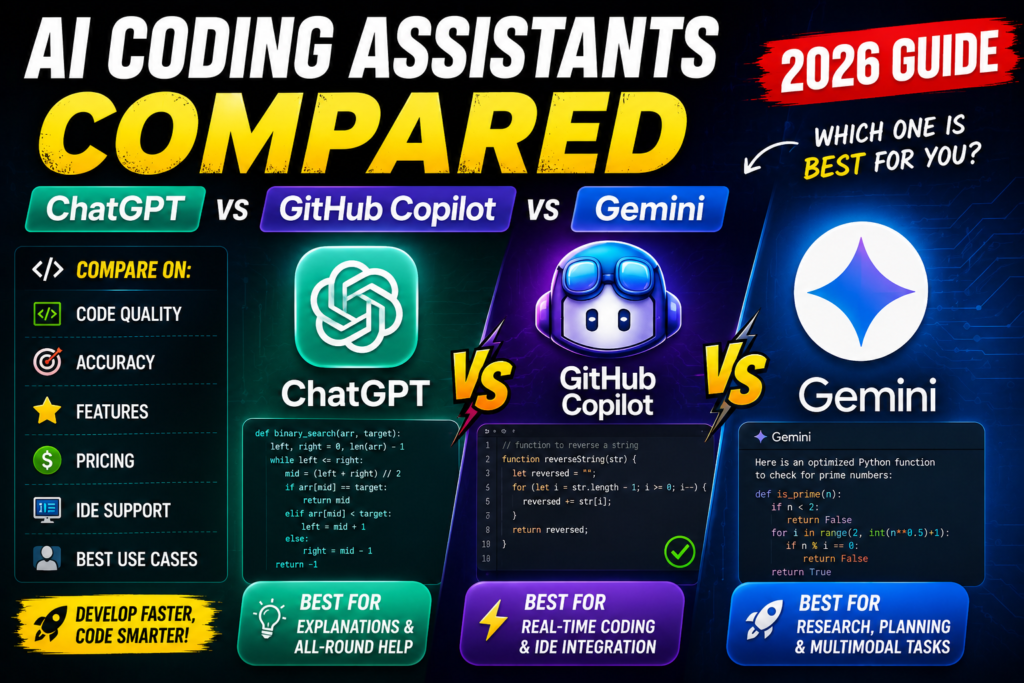
Picture this: You are fixing a stubborn bug at 11:00 PM. Your JavaScript function returns an unexpected undefined value, and you have spent the last forty-five minutes re-reading the exact same ten lines of code. Your eyes are heavy, and your search engine tabs are multiplying fast.
Instead of scouring forums for half-baked answers, you open a side panel, paste the broken function, and ask what is going wrong. Within five seconds, an AI tool highlights the missing return statement, explains the scope issue in plain language, and gives you the corrected block.
AI coding tools are no longer experimental novelties. They sit directly inside text editors, terminal windows, and browser dashboards, actively helping developers write boilerplate, refactor legacy scripts, and learn unfamiliar languages.
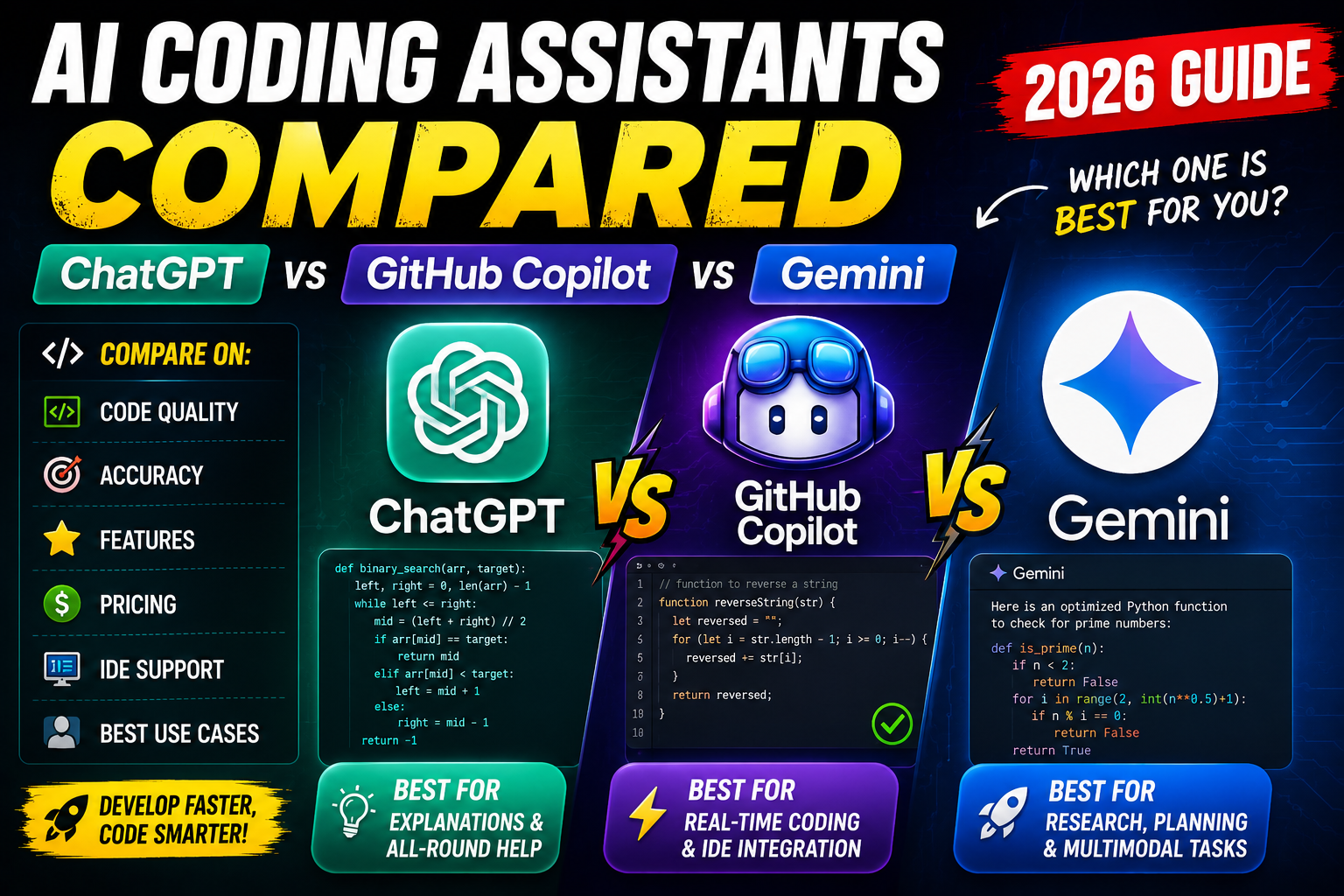
However, choosing the right tool is confusing. ChatGPT acts like a general-purpose technical partner, GitHub Copilot works like an invisible co-pilot in your IDE, and Google Gemini brings massive context windows to read massive repositories. Picking the wrong one can mean wasted subscription fees or constant context-switching. Let’s compare all three side by side to help you find the right fit for your workflow.
Quick Summary Box
| Feature | ChatGPT | GitHub Copilot | Google Gemini |
| Best For | Architecture design, debugging logic, & interactive learning | Real-time inline completions & seamless IDE workflow | Analyzing huge codebases & multi-file context analysis |
| Pricing Tier | Free plan available; Plus starts at $20/month | Free plan (2,000 completions); Pro starts at $10/month | Free tier available; Advanced starts at $20/month |
| Difficulty Level | Beginner to Advanced | Beginner to Advanced | Intermediate to Advanced |
| Key Benefit | Deep conversational explanations & problem solving | Zero-click autocomplete right inside your editor | Massive context limits that digest thousands of lines at once |
What Are AI Coding Assistants?
AI coding assistants are specialized software tools powered by machine learning models trained on millions of lines of public and private code. Rather than just autocompleting individual variable names like old IDE syntax tools, these assistants understand the intent behind your code.
They accept natural language instructions (prompts) and turn them into functional code blocks. Alternatively, they examine existing code to explain complex algorithms, rewrite inefficient routines, or generate unit tests automatically.
Think of them less like automated software engineers and more like eager junior developers who read documentation instantly. They write syntax quickly, but still rely on you to supervise their work and guide overall architecture.
Why People Use AI Coding Assistants
Writing code manually involves repetitive work. Developers spend significant time crafting boilerplate structures, configuring database connections, reading API reference docs, and fixing simple syntax mistakes.
- Eliminating Repetitive Tasks: Setting up basic HTML templates, database schemas, or API endpoints takes minutes instead of hours.
- Faster Debugging: AI tools read error traces and stack traces immediately, pinpointing logical flaws that human eyes often gloss over.
- Accelerated Skill Building: Learning a framework like React or Flutter becomes easier when you can ask an AI to explain how specific lines interact in real time.
- Reduced Mental Fatigue: Instead of switching back and forth between stack overflow threads and your code editor, inline suggestions keep you focused inside your workspace.
A developer building a basic REST API might spend hours looking up exact syntax for middleware validation. With an assistant, they type a short comment describing the route, press Tab, and receive a working draft in seconds.
Key Features Comparison
To choose the right assistant, you need to understand how their standout capabilities match your daily tasks.
1. Code Autocomplete and Real-Time Suggestions
- GitHub Copilot: Built specifically for autocomplete. As you type inside Visual Studio Code, JetBrains, or Neovim, ghost text appears in gray ahead of your cursor. Pressing
Tabaccepts the suggestion. - ChatGPT: Operates primarily through a web interface or desktop workspace app. You copy-paste your code into a chat window to receive suggestions, which adds a brief context-switch.
- Google Gemini: Supports inline completion through various IDE plugins and Google Cloud Workspaces, while its chat environment lets you iterate on complex code structures.
2. Context Window and File Capacity
- Google Gemini: Leads in raw context capacity. Its large context window can ingest thousands of lines of code or whole PDF spec sheets at once, letting you analyze full project directories.
- ChatGPT: Offers solid context handling through flagship models (like GPT-5.6), making it capable of handling large files, script sets, and API docs simultaneously.
- GitHub Copilot: Focuses its context engine locally on open tabs, neighbor files, and workspace repositories to keep inline suggestions hyper-relevant to your current file.
3. Agentic & Workspace Integration
- GitHub Copilot: Features deep workspace tools like Copilot Agent Mode, CLI integration, and automatic Pull Request Summaries directly on GitHub.com.
- ChatGPT: Provides specialized custom GPTs, a dedicated Canvas environment for side-by-side editing, and deep research tools for technical planning.
- Google Gemini: Integrates directly with Google Cloud, Vertex AI, and Google Workspace tools, making it easy to bridge software projects with docs and cloud infrastructure.
How Each Tool Works Under the Hood
ChatGPT
When you query ChatGPT, you interact with a conversational frontier model. You provide a prompt—such as “Write a Python script to scrape product prices from a web page using BeautifulSoup”—and the model breaks down the task into logical steps, generates the code blocks, and appends a narrative explanation detailing how the code functions.
GitHub Copilot
Copilot runs as an extension inside your code editor. It continuously analyzes the context around your active cursor—including comments, function names, and open tab files. It sends this context securely to its backend model, streaming syntax completions directly onto your screen as ghost text before you finish typing.
Google Gemini
Gemini is natively multimodal, meaning it processes text, code, audio, and visual diagrams in a unified layer. If you upload a wireframe image or architectural diagram alongside your database schema, Gemini reads both inputs simultaneously to generate matching frontend code or backend queries.
Practical Use Cases
+-----------------------------------------------------------------------+
|                         WHICH TOOL SHOULD YOU USE?                    |
+-----------------------------------------------------------------------+
|                                                                       |
|  [Need autocomplete directly while typing code?]                      |
|       └───────► YES: Pick GitHub Copilot                              |
|                                                                       |
|  [Need to design architecture or learn a brand-new concept?]          |
|       └───────► YES: Pick ChatGPT                                     |
|                                                                       |
|  [Need to analyze a giant repository or large documentation files?]    |
|       └───────► YES: Pick Google Gemini                               |
+-----------------------------------------------------------------------+
Scenario A: Refactoring a Legacy Codebase
A developer inherits a 500-line legacy Node.js file filled with deeply nested callback functions.
- With Gemini: The developer uploads the file into Gemini’s large context window and asks: “Convert this entire callback structure into modern Async/Await syntax without altering return formats.” Gemini processes the file in one shot and returns a clean, modernized version.
Scenario B: Building an Interactive UI Component
A frontend engineer needs to create a complex animated navigation menu in React.
- With GitHub Copilot: The engineer opens
Navbar.jsx, types// Component: Mobile responsive navbar with dropdown smooth transition, and hits enter. Copilot populates the React hook logic, state controls, and JSX markup inline within seconds.
Scenario C: Designing System Architecture
A founder wants to structure a database schema and API flow for a new subscription-based web application.
- With ChatGPT: The founder uses ChatGPT like a whiteboarding colleague. They debate relational vs. non-relational database structures, draft initial SQL schemas, and generate sample API route handlers through an interactive, step-by-step dialogue.
Step-by-Step Guide: Integrating an AI Assistant into Your Workflow
If you are new to AI coding tools, setting up a smooth workflow takes less than ten minutes. Here is how to get started effectively:
Step 1: Install Your Preferred Environment Extension
If using Copilot or Gemini inside VS Code, navigate to the Extensions tab (Ctrl+Shift+X or Cmd+Shift+X), search for the official extension, and click Install.
Step 2: Configure Workspace Context
Sign into your associated account (GitHub, OpenAI, or Google Cloud). Allow the tool to index workspace files locally so it understands your project’s naming conventions and directory structures.
Step 3: Write Clear, Intentional Comments
Instead of writing code blindly, start your files or functions with explicit comments outlining your goal:
Python
# Bad comment:
# Make a function for users

# Good comment:
# Function to validate email address using regex, lowercases input,
# and returns True if valid domain matches allowed list.
Step 4: Review, Test, and Verify
Never commit AI-generated code directly to production without testing. Run local unit tests, check edge cases manually, and ensure variable names follow your project’s style guide.
Benefits of Using AI Coding Tools
- Significantly Faster Prototyping: Turn ideas into working proof-of-concept applications in hours instead of days.
- Lower Barrier to Entry: Beginners can explore complex languages like Rust, Go, or C++ with an AI tutor explaining syntax line by line.
- Built-in Documentation Generation: Highlight messy code and ask the assistant to generate clean JSDoc or Docstring comments automatically.
- 24/7 Pair Programming: Access instant feedback on logic errors without waiting for a senior engineer’s code review.
Limitations and Honest Drawbacks
While AI assistants offer undeniable speed boosts, relying on them blindly introduces real risks:
- Hallucinated Functions: AI models occasionally invent non-existent API methods or deprecated library calls with absolute confidence.
- Security Vulnerabilities: If trained on outdated code, AI assistants may generate code vulnerable to SQL injection, XSS attacks, or weak encryption standards.
- Context Blindness: Inline autocomplete tools sometimes miss global variable states across separate files, producing suggestions that break external application logic.
- Over-reliance Risks: Beginners who rely entirely on autocomplete risk missing fundamental concepts, making it harder to debug complex systems when AI tools fail.
Pros and Cons Comparison
ChatGPT
- Pros: Exceptional at high-level logic, architectural planning, and detailed plain-English explanations; versatile interface options.
- Cons: Requires copy-pasting code back and forth unless using specialized desktop tools; message caps apply on high-demand models.
GitHub Copilot
- Pros: Best-in-class inline completion; sits directly inside your editor; excellent understanding of active tab context.
- Cons: Less suited for open-ended whiteboard discussions or deep architectural brainstorming compared to chat-first interfaces.
Google Gemini
- Pros: Unmatched context windows for reading massive files; seamless multimodal inputs (diagrams, spec docs); smooth Google ecosystem integration.
- Cons: Inline extension performance can vary depending on editor choice and plugin maturity.
Direct Comparison Table
| Metric / Feature | ChatGPT | GitHub Copilot | Google Gemini |
| Primary Interaction | Web Chat / Workspace Canvas | Inline IDE Autocomplete & Agent Panel | Web Workspace & Cloud Studio |
| Ideal Use Case | Conceptual learning & script design | Fast daily coding & rapid typing | Bulk file processing & multimodal review |
| IDE Integration | Moderate (via third-party / desktop app) | Native (VS Code, JetBrains, Neovim) | Growing (VS Code & Cloud Shell extensions) |
| Large File Context | Strong context limits | Local workspace tab scope | Massive context window capacity |
| Pricing Entry Point | Free tier / $20 Plus plan | Free tier / $10 Pro plan | Free tier / $20 Advanced plan |
Best Alternatives
If none of these three fit your exact stack, consider these notable alternatives:
- Claude (by Anthropic): Renowned for producing remarkably clean, human-like code structure and handling detailed prompt logic.
- Cursor: A dedicated AI-first code editor built as a fork of VS Code, offering native multi-file editing and agentic inline refactoring.
- Tabnine: An enterprise-focused AI assistant that emphasizes complete code privacy, local self-hosting options, and strict compliance controls.
Common Mistakes Users Make
- Accepting Autocomplete Blindly: Pressing
Tabrepeatedly without reading generated code introduces subtle logic bugs that take hours to trace later. - Providing Vague Prompts: Asking an AI to “Make a login page” produces generic, unstyled code. Specifying frameworks, form validation rules, and error handling yields far better results.
- Pasting Confidential API Keys: Never paste private secrets, password strings, or production API keys into prompt boxes.
- Ignoring Unit Tests: Using AI to write application code without using it to write corresponding unit tests leaves your application vulnerable to unexpected regressions.
Frequently Asked Questions
1. Which AI coding assistant is best for absolute beginners?
ChatGPT is ideal for beginners because its conversational interface acts like a patient tutor. You can ask follow-up questions like “Why did you use a loop here instead of a map function?” and receive step-by-step explanations.
2. Is GitHub Copilot free to use?
Yes, GitHub offers a free tier with 2,000 code completions per month. Paid plans start at $10/month for unlimited completions and additional credit options.
3. Can AI coding assistants replace software developers?
No. AI assistants write syntax quickly, but lack human business reasoning, architectural judgment, system design capability, and real-world problem-solving skills.
4. Which tool handles massive codebases best?
Google Gemini excels at processing large codebases thanks to its massive token context window, allowing you to feed entire project folders into a single prompt.
5. Does using AI code cause copyright or licensing issues?
Most major AI providers train on open-source code and implement filters to prevent direct code duplication. However, developers should audit generated outputs when working on proprietary commercial software.
6. Can I use all three tools together?
Yes! Many developers keep GitHub Copilot running in VS Code for real-time typing, while keeping ChatGPT or Gemini open in a browser side-tab for high-level architecture discussions and file analysis.
7. Which tool is better for debugging complex errors?
ChatGPT and Gemini are both excellent for debugging because you can paste full stack traces, environment variables, and broken files together to diagnose root causes logically.
8. Do AI assistants work offline?
No. All three assistants require an active internet connection to process prompts and generate responses via cloud infrastructure.
9. Which assistant supports the most programming languages?
All three support almost every modern programming language—including Python, JavaScript, TypeScript, Java, C++, Go, and Rust—because their models were trained on millions of public repositories.
10. How can I write better prompts for coding AI?
Be specific about your technical stack, inputs, expected outputs, error handling preferences, and coding styles. The more context you provide, the cleaner the generated code will be.
Final Thoughts
There is no single “winner” among AI coding assistants because each serves a distinct role in modern development:
- Choose GitHub Copilot if you want to write code faster inside your current editor with minimal disruption to your flow state.
- Choose ChatGPT if you need an interactive partner to help you design software architectures, debug tricky logic, or learn new tools.
- Choose Google Gemini if your workflow revolves around inspecting massive repositories, analyzing technical spec documents, or working inside the Google Cloud ecosystem.